| < Back to Posting Tips Collection |
|
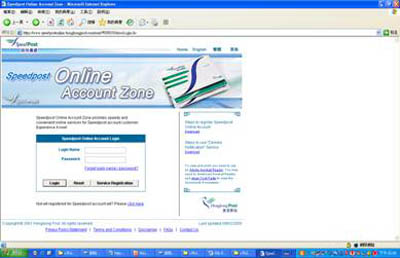
| Steps to register "Speedpost Online Account Zone" |
|
| Applicable for first-time registration account customers only. |
|
|
|
|
|
|
|
|
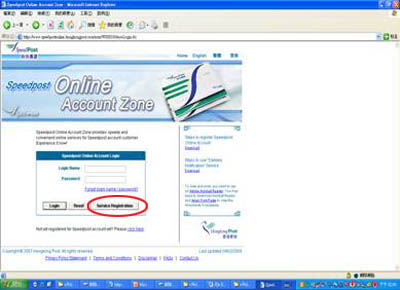
Click [Service Registration] |
|
|
 |
|
|
|
|
|
|
|
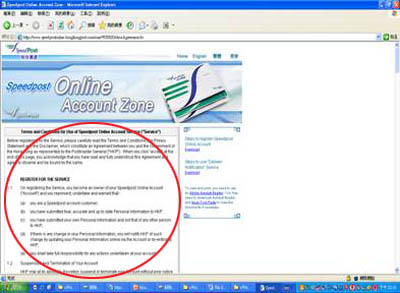
Please read "Terms and Conditions for Use of Speedpost Online Account Service ("Service")" |
|
|
 |
|
|
|
|
|
|
|
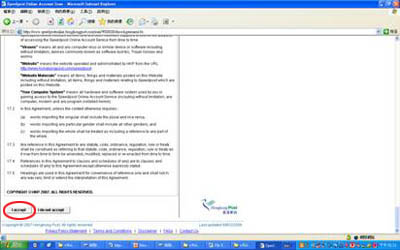
If you accept the terms and conditions, plese click [I Accept] at the bottom of the page. |
|
|
 |
|
|
|
|
|
|
|
1.
|
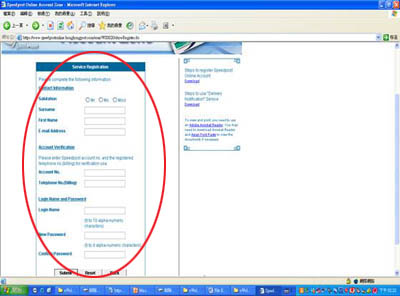
Fill in the personal information and email address at the "Contact Information" section.
|
|
|
2.
|
Fill in the Speedpost Account No. and the billing contact Telephone No. when you opened the account at the "Account Verification" section; if you need assistance, please call Speedpost hotline 2921-2277. |
|
|
3.
|
Fill in your chosen login name (6 to 10 alpha-numeric characters) and Password (6 to 8 alpha-numeric characters) at the "Login Name and Password" section; you need to confirm the password upon input of the new password. |
|
|
4.
|
Click [Submit] |
|
|
 |
|
|
|
|
|
|
|
Registration Result :
Upon confirmation of the registered information, system will automatically login to your online account and you will see the specially-designed promotion program for you. You can select and use various service functions at the Speedpost Online Account Zone.
If you encounter any technical problems during registration, please check your computer settings first or contact Speedpost hotline 2921-2277.
|
|
|
|
|
|
|