| < Back to Posting Tips Collection |
|
| Refer "Online Mail Tracking" Usage Guide |
|
|
| After posting, you must want to track your item to make sure it is delivered to your business partner on time. Simply get access of the Speedpost website and refer to the following steps, you are able to track the delivery status of your item. |
|
|
|
|
|
|
|
|
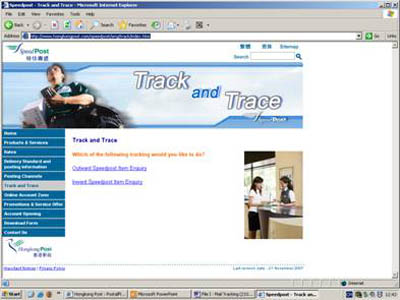
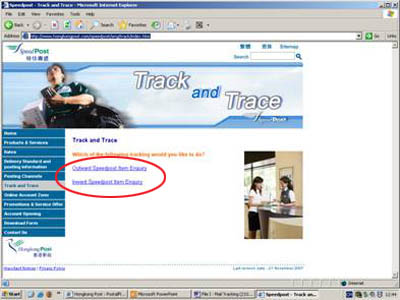
Select and click [Which type of tracking] |
|
|
| Step 2.1 |
Outward Speedpost Item Enquiry |
|
|
| Step 2.2 |
Inward Speedpost Item Enquiry |
|
|
|
 |
|
|
|
|
|
|
|
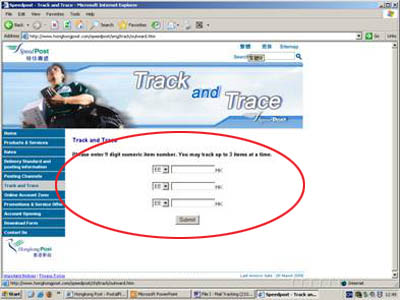
Select [Outward Speedpost Item Enquiry] |
|
|
| Step 3.1 |
Please enter 9 digit numeric item number. (You may track up to 3 items at a time) |
|
|
| Step 3.2 |
Then click [Submit] |
|
|
|
 |
|
|
|
|
|
|
|
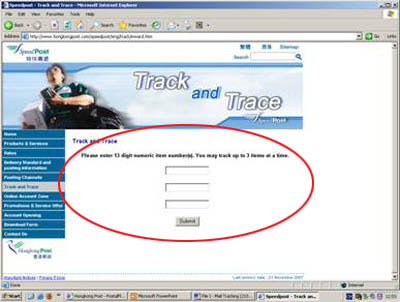
Select【Inward Speedpost Item Enquiry] |
|
|
| Step 4.1 |
Please enter 13 digit numeric item number. (You may track up to 3 items at a time) |
|
|
| Step 4.2 |
Then click [Submit] |
|
|
|
 |
|
|
|
| |